⚠️ SentinelOne Issues
SentinelOne
SentinelOne is an AI-driven cybersecurity platform that provides real-time threat prevention, detection, response, and remediation across endpoints and cloud environments. It is known to flag the Slide Agent as a potential threat due to the low-level operations the Slide Agent performs.
Warning
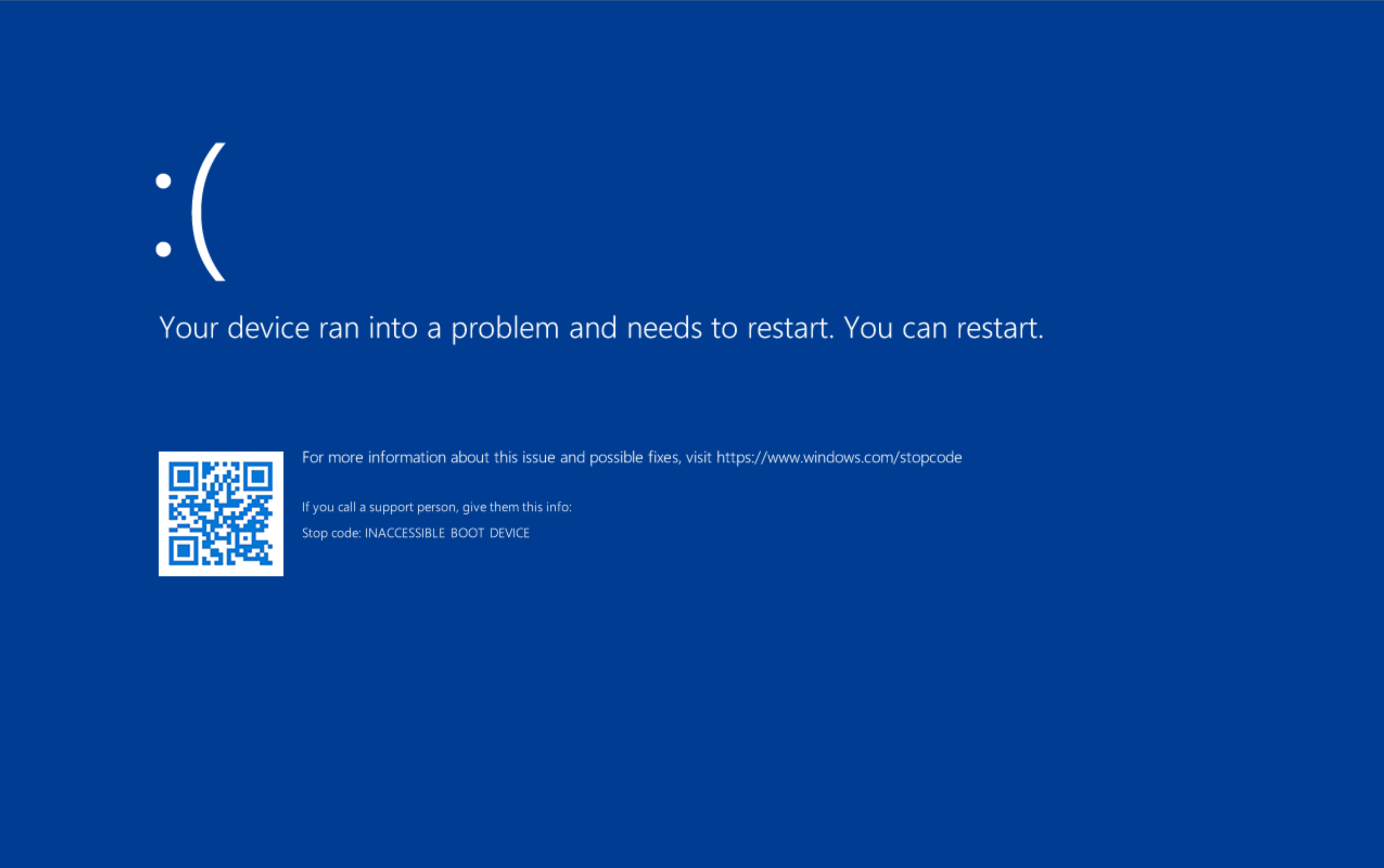
If you are using SentinelOne, you must follow these steps as the Slide Agent will not work properly otherwise, and a bug in SentinelOne may render your Windows system unbootable. See SentinelOne Bugs for details.
Warning
We have seen instances where all required exceptions are configured and Sentinel One's AI component designates the Slide Agent as a threat, in conflict with those exceptions. Please open a ticket with Slide Support AND Sentinel One to best work through this scenario.
Disable Snapshots
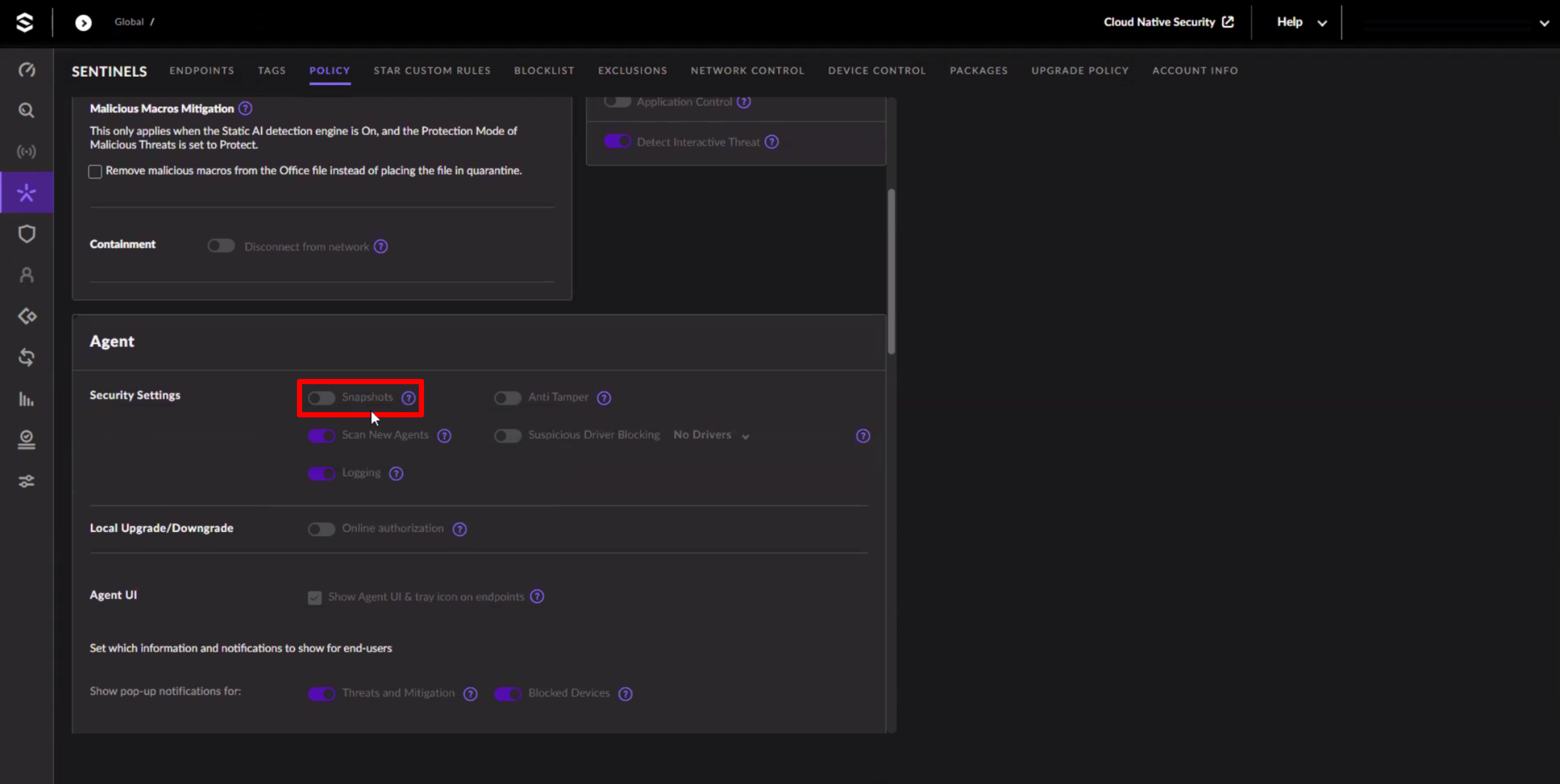
SentinelOne Snapshots lets you capture the state of a system at a point in time - typically before and after a detected threat. Unfortunately, it also uses the Volume Shadow Copy Service (VSS) to create these snapshots, which can interfere with the Slide Agent's operation. To prevent this, you must disable the Snapshots feature in SentinelOne.
Navigate to the SentinelOne console and disable the Snapshots feature:
- Go to Sentinels
- Navigate to Policy
- Disable Snapshots
Add Path Exclusions
To prevent SentinelOne from interfering with the Slide Agent, you must add exclusions for the Slide Agent's files and directories.
In the SentinelOne console, perform the following steps:
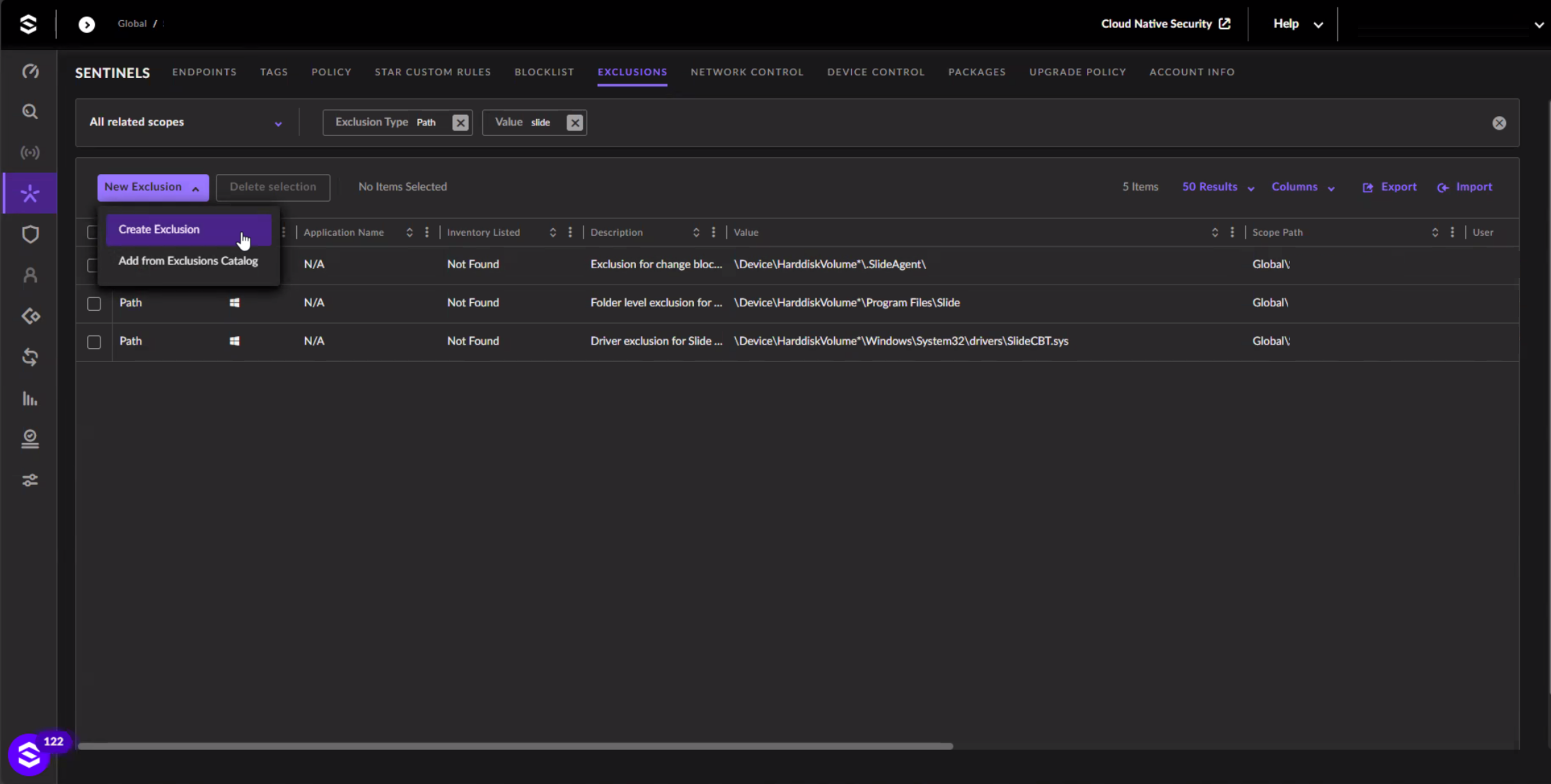
- Navigate to Sentinels, then Exclusions
- Click Create Exclusion
Add the following Path Exclusions:
| Path | Subfolders | Exclusions Mode |
|---|---|---|
| \Device\HarddiskVolume*\Program Files\Slide | Yes | Performance Focus - extended |
| \Device\HarddiskVolume*\ProgramData\Slide | Yes | Performance Focus - extended |
| \Device\HarddiskVolume*\.SlideAgent | Yes | Performance Focus - extended |
| \Device\HarddiskVolume*\Windows\System32\drivers\SlideCBT.sys | No | Performance Focus - extended |
Add Certificate Exclusions
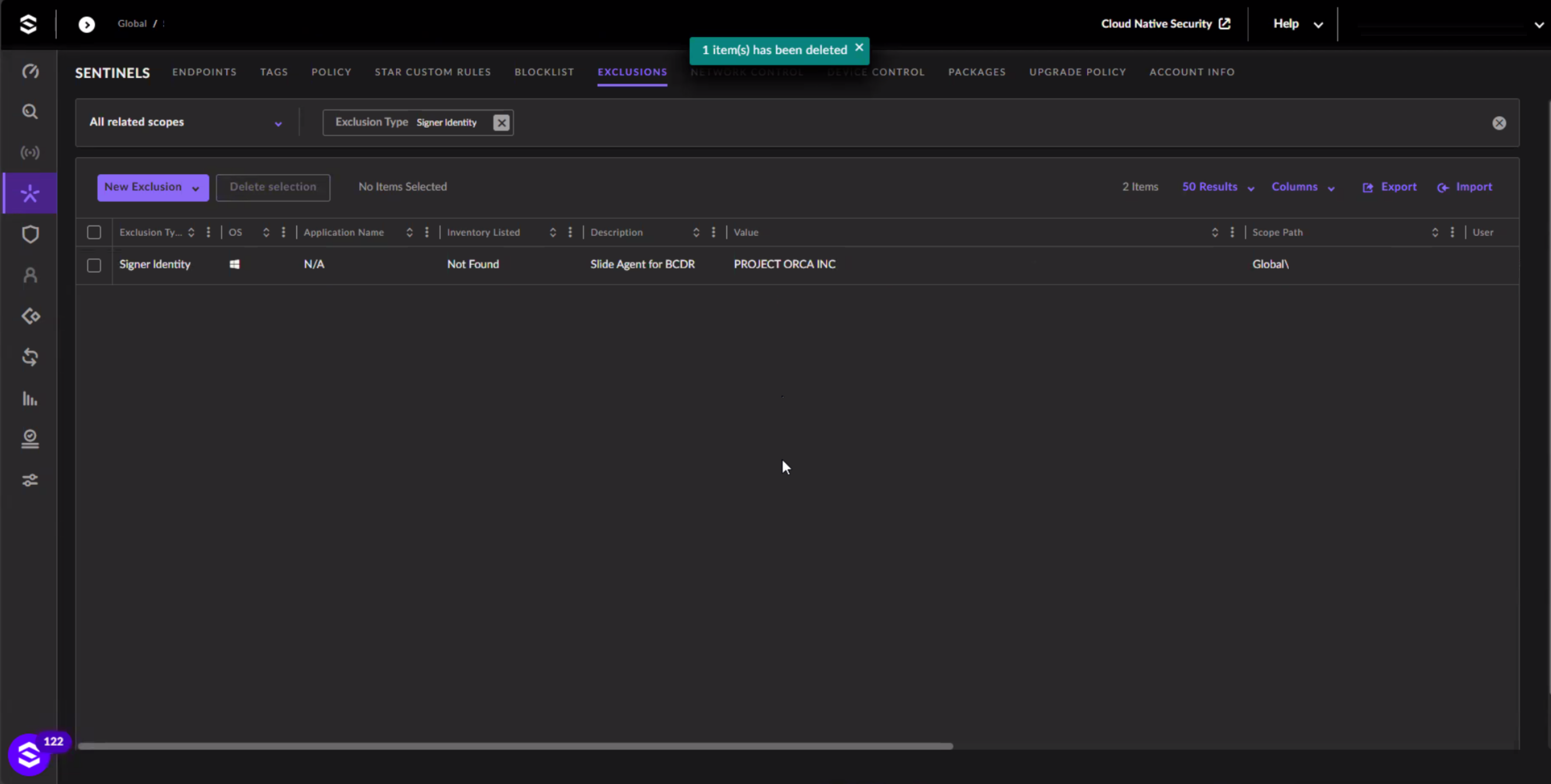
Add the following Certificate Exclusions:
- Signer Identity: Project Orca Inc
Info
These instructions are for the Legacy Exclusion layout. If you're using the new Unified Exclusion Experience, certificate exclusions may not yet be visible.
Switching to Legacy Layout
To switch back to the Legacy Exclusion layout:
- Click your full name in the top right corner.
- Go to My User.
- Change Exclusions Experience to
Legacy.
SentinelOne Bugs
A current bug in the SentinelOne agent may render Windows systems unbootable.
If the recommended exclusions are not applied, SentinelOne may mistakenly flag the Slide Agent as a threat and quarantine its files, including the SlideCBT.sys boot-start driver. If this driver is quarantined without the necessary registry updates (see drivers for details), Windows will blue-screen on boot.
We’re actively working with SentinelOne to resolve this issue. Until then, please ensure all exclusions are properly configured to avoid system impact.